
GOOGLE WORKSPACE → MICROSOFT 365
Migrate Your Business to Microsoft 365 with Confidence
Expert Email, Data and Collaboration Migration Services from Niyocon Technologies.
Move your business email and supported data from Google Workspace to Microsoft 365 with structured assessment, tenant preparation, migration execution, cutover validation and post-migration support.
Gmail → Exchange OnlineDrive → OneDriveShared Drives → SharePoint
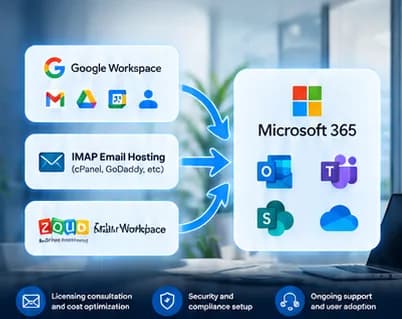

Google WorkspaceMicrosoft 365
MIGRATION SERVICES
Google Workspace Migration Services to Microsoft 365
Plan the destination around the way your organization uses email, files, calendars, contacts and collaboration today.
Google Drive to OneDrive
File and folder assessmentUser-to-user destination mappingGoogle-native file conversion planningSharing and permission reviewMigration validationDiscuss RequirementsShared Drives to SharePoint
Shared Drive inventorySharePoint site and library planningTeam document migrationAccess and permission mappingPost-migration validationDiscuss RequirementsCalendars & Contacts
Calendar migration assessmentEvents and recurrence reviewContact field mappingSharing considerationsException validationDiscuss RequirementsGroups & Collaboration
Google Groups assessmentMicrosoft 365 Groups or distribution list mappingMembership reviewMail-delivery planningCollaboration destination designDiscuss RequirementsTenant Setup & Cutover
Microsoft 365 tenant readinessDomain verification planningUser and license assignmentExchange, OneDrive and SharePoint preparationMX, SPF, DKIM and DMARC reviewDiscuss RequirementsWHAT CAN BE MIGRATED?
Map Google Workspace Data to the Right Microsoft 365 Service
Final migration coverage is confirmed after assessment; mappings below describe potential destinations, not guaranteed automatic transfer.
| Google Workspace Source | Microsoft 365 Destination | Key Considerations |
|---|---|---|
| Gmail | Exchange Online | Supported messages, folders and mailbox mapping |
| Google Drive | OneDrive for Business | Files, folders, conversion and permission considerations |
| Google Shared Drives | SharePoint Online | Team documents, libraries and access mapping |
| Google Calendar | Outlook Calendar | Events, recurrence, sharing and meeting-link considerations |
| Google Contacts | Outlook Contacts | Supported fields and duplicate handling |
| Google Groups | Microsoft 365 Groups / distribution lists | Purpose, membership and mail-delivery mapping |
| Google Docs | Word / compatible formats | Conversion and layout validation |
| Google Sheets | Excel / compatible formats | Formula, formatting and data validation |
| Google Slides | PowerPoint / compatible formats | Layout, embedded media and formatting validation |
Google Sites, Chat history, Meet recordings, Forms, browser bookmarks, unsupported content and complex third-party integrations require separate assessment.
OUR MIGRATION PROCESS
A Structured Six-Stage Migration Journey
01
Discover & Assess
Inventory users, mailboxes, Drive data, Shared Drives, calendars, contacts, groups, integrations and dependencies.
02
Plan & Map
Define licensing, source-to-destination mapping, migration method, pilot users, batches, permissions, cutover and contingency steps.
03
Prepare Microsoft 365
Verify tenant readiness, prepare domains, provision users, assign licenses and configure destination services and access controls.
04
Pilot & Migrate
Run a representative pilot, resolve exceptions, execute approved migration batches and monitor migration progress.
05
Cutover & Validate
Change approved mail routing, validate email and files, test Microsoft 365 applications and review migrated permissions and data.
06
Handover & Support
Provide user guidance, document the migration, record exceptions and support agreed post-migration activities.
Migration timelines depend on user count, data volume, network throughput, source limitations, migration tools and customer readiness.
SECURITY & TECHNICAL READINESS
A Secure and Controlled Migration Approach
Migration is performed under an agreed scope and security plan, with access, authentication, migration tooling and cutover controls reviewed before execution.
Customer-authorized administrative accessLeast-privilege access planningSecure handling of migration credentialsMFA where supportedPermission and access validationControlled DNS and mail-routing changesSPF, DKIM and DMARC reviewDocumented exceptions and handover
Technical assessment can include
• Administrator permissions and API access
• User, mailbox and data inventory
• Migration tool compatibility and throughput
• Google-native file conversion
• Sharing and permission differences
• Destination storage and licensing
• SMTP relay and application dependencies
• Pilot, rollback and acceptance criteria
FLEXIBLE SERVICE OPTIONS
Google Workspace Migration Packages
Commercials and deliverables are customized after assessment; no fixed package price is implied.
Migration Assessment
Email Migration
Email + Data Migration
End-to-End Microsoft 365
MORE THAN MIGRATION
Complete Microsoft 365 Services from Niyocon
Licensing Consultation
Plan selection, user/SKU mapping, utilization review and commercial guidance.
Deployment & Configuration
Tenant, domains, users, Exchange Online, OneDrive, SharePoint and Teams configuration.
Security & Identity
Entra ID, MFA, Conditional Access, Intune and Defender configuration where licensed.
Managed Microsoft 365
Administration, troubleshooting, subscription assistance and ongoing support options.
Training & Adoption
Outlook, Teams, OneDrive, SharePoint and Microsoft 365 user onboarding guidance.
MIGRATION ASSESSMENT
Plan Your Google Workspace to Microsoft 365 Migration
Start with your user count, mailbox and Drive volumes, domains, desired Microsoft 365 plan, required workloads and target migration window. Niyocon can then define the migration approach, assumptions, exclusions and commercial scope.
Assessment inputs
Users and domainsMailbox and Drive data volumesShared Drives and permissionsCalendars, contacts and groupsExisting Microsoft 365 tenantTarget date and business dependenciesFREQUENTLY ASKED QUESTIONS
Google Workspace to Microsoft 365 Migration — FAQs
01Can we migrate from Google Workspace to Microsoft 365?
Yes. Niyocon can assess Google Workspace and migrate agreed, supported workloads to Microsoft 365 using a method selected after source and destination assessment.
02Can Gmail be migrated to Exchange Online?
Yes. Supported mailbox data can be migrated after account mapping, permissions, licensing and migration prerequisites are validated.
03Can Google Drive files be migrated to OneDrive?
Yes, where included in scope. File types, Google-native formats, sharing, permissions, storage and conversion requirements are assessed first.
04Can Google Shared Drives be migrated to SharePoint?
Yes, subject to assessment and scope. Destination sites, libraries, permissions, ownership and information architecture should be planned before migration.
05Can contacts and calendars be migrated?
Supported calendar and contact data can be assessed for migration. Sharing, recurrence, meeting links, field mappings and source-specific limitations may require additional validation.
06Will users lose access during migration?
Migration is normally planned to minimize business disruption, but cutover activities and source/destination limitations can affect access. The expected user impact is documented during planning.
07How long does a migration take?
Timing depends on user count, mailbox and file volume, network throughput, APIs, source limitations, migration tools, customer readiness and the agreed scope.
08Do we need Microsoft 365 licenses before migration?
Destination users generally need suitable Microsoft 365 services and licensing for the workloads being provisioned. Niyocon can assist with plan and license mapping.
09Can we migrate in batches?
Yes. Pilot users and migration batches can be used where appropriate to validate the process and manage cutover risk.
10Will historical messages and folders be preserved?
Supported historical email and folder structures can be included, subject to the migration method, source data condition and service limitations.
11Can rules, signatures and delegated access be migrated?
These items may not transfer automatically and should be assessed separately. Some settings may need recreation in Microsoft 365.
12Do you provide post-migration support?
Yes. Post-migration assistance can include Outlook setup, user access, mailbox and file validation, issue resolution and administrative handover according to scope.
READY TO MIGRATE?
Build a migration plan around your users, data and business priorities.
Get a scoped Google Workspace to Microsoft 365 migration assessment from Niyocon Technologies.